Damien

Status
Not open for further replies.

Functional Artist

Well-known member
Messages
5,326
Reaction score
2,801
Location
Toledo, Ohio
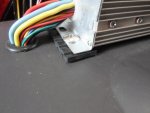
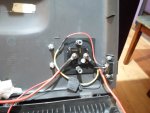
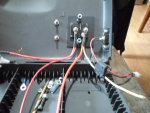
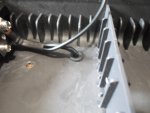
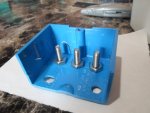
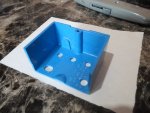
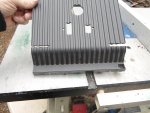
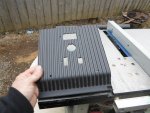
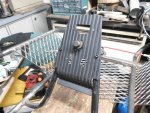
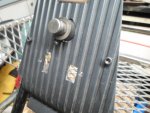
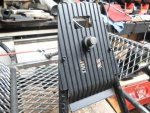
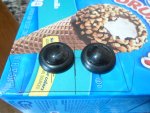
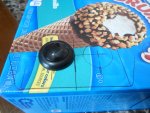
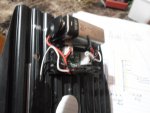
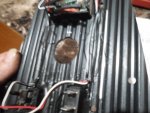
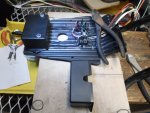
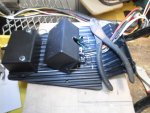
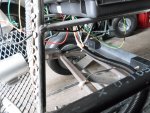
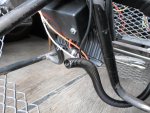
I added a rubber grommet to the top of the control box
(protects the wires from any potential sharp edges & looks more professional)

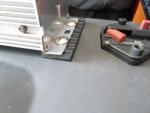
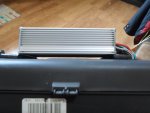
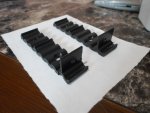
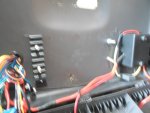
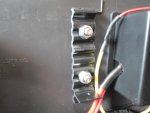
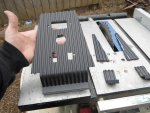
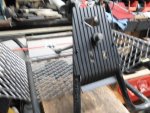
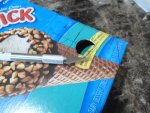
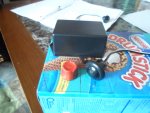
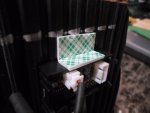
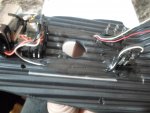
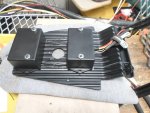
While I had it apart, I also thought it would be a good idea to add some plastic strips to beef up the mounting area of the speed controller too :thumbsup:

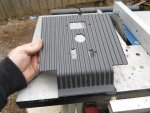
Plus, by raising the speed controller a bit it should aid in cooling & help separate any heat from the plastic control box. :2guns:
 

Attachments

  • SAM_4424.JPG
    SAM_4424.JPG
    1.3 MB · Views: 2
  • SAM_4425.JPG
    SAM_4425.JPG
    1.2 MB · Views: 1
  • SAM_4427.JPG
    SAM_4427.JPG
    1.3 MB · Views: 1

Functional Artist

Well-known member
Messages
5,326
Reaction score
2,801
Location
Toledo, Ohio
Now, that most of the external stuff has been securely mounted, we can start on the wiring. :thumbsup:

We'll start with the big stuff, the Battery Cables :cheers2:

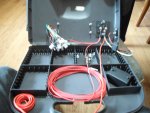
The battery's will be situated so that the positive (+) terminal('s) will be toward the right so, I mounted the Circuit Breaker & the Charge Port on the right side too. :cool:

So, first we'll run a piece of red 10g. wire from the positive (+) area of the right most battery, thru a rubber grommet in the bottom right side of the control box, up to the (BATT) side of the circuit breaker
…& then another piece of the red 10G wire from the (AUX) side of the circuit breaker to the red battery (power in) positive (+) wire of the speed controller.

I wired the red positive (+) wire from the charge port to the BATT side of the circuit breaker
...via a 10A fuse (of course)
(this way the battery pack can be charged while the rest of the system is completely shut down)

I wired a red positive (+) wire, for the voltage indicator lead of the Amp/Volt Meter, to the AUX side of the circuit breaker :wai:

Then, added a protective cover

Don't want no 48V "open terminals" :ack2:
...even inside of the box :2guns:
 

Attachments

  • SAM_4382.JPG
    SAM_4382.JPG
    1.3 MB · Views: 3
  • SAM_4387.JPG
    SAM_4387.JPG
    1.2 MB · Views: 1
  • SAM_4378.JPG
    SAM_4378.JPG
    1.3 MB · Views: 2
  • SAM_4377.JPG
    SAM_4377.JPG
    1.3 MB · Views: 3
  • SAM_4394.JPG
    SAM_4394.JPG
    1.3 MB · Views: 4
  • SAM_4379.JPG
    SAM_4379.JPG
    1.2 MB · Views: 1
  • SAM_4383.JPG
    SAM_4383.JPG
    1.3 MB · Views: 2
  • SAM_4384.JPG
    SAM_4384.JPG
    1.3 MB · Views: 2

Functional Artist

Well-known member
Messages
5,326
Reaction score
2,801
Location
Toledo, Ohio
Now for the Negative Battery Cable :thumbsup:

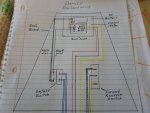
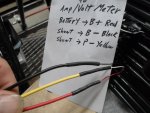
Since the Negative (-) terminal on the battery pack is on the left side, we'll run a piece of black 10g. wire from the battery thru a separate rubber grommet (under the left side of the box) to the (B-) side of the shunt (mounted inside of the box)(this is also where the negative (-) wire for the charge port is attached)
...& then, attached the black battery (power in) negative (-) wire, coming out of the speed controller to the (P-) side of the shunt. :cool:

* It's a 50A 75mV shunt
(smaller, lighter & cost less than a 500A)

I don't think this set up should never draw over 50A
(even for a mili-second) :2guns:

Were gonna find out :cheers2:
 

Attachments

  • SAM_4383.JPG
    SAM_4383.JPG
    1.3 MB · Views: 0
  • SAM_4389.JPG
    SAM_4389.JPG
    1.3 MB · Views: 0
  • SAM_4388.JPG
    SAM_4388.JPG
    1.3 MB · Views: 0

Functional Artist

Well-known member
Messages
5,326
Reaction score
2,801
Location
Toledo, Ohio
Almost forgot, I also wanted to add a couple of strips of plastic to the underside (inside of the box) for additional support (where the speed controller mounts)

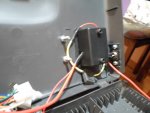
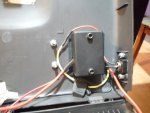
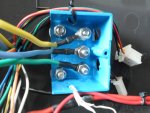
Then. I was thinkin', it may be a good idea to protect the Motor wires (3) big wires), from touchin' anything (inside of the box)
...they may get hot, from time to time

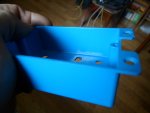
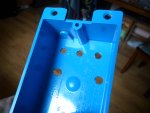
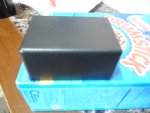
So, I got a plastic electrical junction box
...drilled some holes in it
...cut it in half
...& used it as a semi-terminal cover plus extra left side support too :2guns:

Next, we'll deal with the rest of the wiring :cheers2:
 

Attachments

  • SAM_4415.JPG
    SAM_4415.JPG
    1.2 MB · Views: 4
  • SAM_4417.JPG
    SAM_4417.JPG
    1.3 MB · Views: 4
  • SAM_4423.JPG
    SAM_4423.JPG
    1.3 MB · Views: 4
  • SAM_4407.JPG
    SAM_4407.JPG
    1.3 MB · Views: 4
  • SAM_4410.JPG
    SAM_4410.JPG
    1.3 MB · Views: 4
  • SAM_4420.JPG
    SAM_4420.JPG
    1.3 MB · Views: 4
  • SAM_4422.JPG
    SAM_4422.JPG
    1.3 MB · Views: 3
  • SAM_4414.JPG
    SAM_4414.JPG
    1.3 MB · Views: 3
  • SAM_4413.JPG
    SAM_4413.JPG
    1.3 MB · Views: 4

Functional Artist

Well-known member
Messages
5,326
Reaction score
2,801
Location
Toledo, Ohio
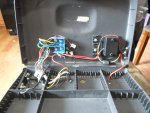
OK, so that covers the "big stuff" (the main power wires)

The (2) battery cables carrying the power/amperage from the battery pack to the speed controller
…& then, the (3) motor cables that deliver that power/amperage (upon your command) from the controller to the motor :thumbsup:

Now for the "small power" or signal/sensor/control wires
...these wires are for sending/receiving information & to activate control functions

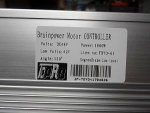
Here is the "Wires Interface Definition", I got from the seller, for this "Brainpower" 48V 1,800W motor controller
...it's not very accurate & even leaves some really important stuff out :ack2:

Battery :Thick Black (Power Negative) /Thick Red (Power Positive)
Motor :Thick Yellow (Motor Negative) /Thick Blue (Motor Positive)
Ignition Switch :Thin Red(VCC)/Thin Blue
Indicator : Thin red (Indicator power output) /thin black (indicator negative)
Brake :thin yellow (Brake signal)/thin black(Negative Power)
Speed governor :Thin blue(Speed handlebar Signal input) /Thin black (Negtive Power) /thin red(5V Positive Power)
Charge Port : Thin red (charge input power Positive) /thin black (Power negative)
Brake Light: Thin red (power Positive) /thin black (Power negative)


First off, this "Wire Definition" only shows (2) motor wires (thick yellow & thick blue)
...what about that thick green fella? it's not important?

Second, it only shows/defines (6) plugs
...when there are actually (10) plugs/connections for this speed controller

So, here is the wire definitions, I came up with :cheers2:

Big Power Wires

Battery: thick Red, thick black
...these are where the Positive (+) & Negative (-) battery cables connect

Motor: thick Yellow, thick Blue, thick Green
...these wires send the "amperage" current from the speed controller to the motor

Small Signal/Control wires

#1 Hall: thin Red, Black, Yellow, Green & Blue
...these are the signal wires that relay info between the motor & the speed controller

#2 Ignition Switch: thin Red, thin Black
...actually labeled "Power Lock", this is where the key (on/off) switch connects

#3 Throttle: thin Red, thin black, thin green
...this is where the throttle wires connect
...their diagram labels this one as "Speed governor"


#4 Forward & Reverse: thin Yellow, thin Black, thin Gray
...their diagram completely left this one out
…& without a switch connected to this plug, this system will NOT work
(because the controller doesn't know if you want to go forward or backwards)


#5 3-Speed: thin Blue, thin Black, thin Green
...connect an On/Off/On switch here to be able to select low, med or high speed
(if a switch is not connected to this plug the system WILL still operate
...but, it would only operate at medium speed, the "default Mode"


#6 Charge Port: (Red plug) Thin red, thin black
I'm not gonna charge thru the controller
...instead, I connected the charge port (basically) directly to the battery pack


#7 Brake : thin White, thin Orange
...this is where the Brake lever switch wires attach

#8 Brake Light: thin White, thin black
...these wires send current (when the brake lever is activated) to activate "power" the brake lights

#9 Indicator : thin Orange, thin black
...this one seems to be for connecting a Voltage meter

#10 Hour Meter (Black plug) thin Red, Blue. Green, Black
...still researchin' on this one :2guns:
 

Attachments

  • sc 1.jpg
    sc 1.jpg
    13.1 KB · Views: 83
  • sc 2.jpg
    sc 2.jpg
    13.6 KB · Views: 83

Functional Artist

Well-known member
Messages
5,326
Reaction score
2,801
Location
Toledo, Ohio
Now we gotta run the wires to where they go :thumbsup:

#1 Hall: This is a simple "plug-n-play" situation, just plug 'er in to the mating plug on the motor harness.
(3 thick power wires & (5) thin sensor wires)

#2 Ignition: I ran (2) white 16g. extension wires up to the on/off switch on the dash board.
I simply used white wire for both, (it's not a polarity situation) as it only connects/completes the circuit.

#3 Throttle: Another "plug-n-play" situation
We just gotta be sure that the (3) wire colors align (red to red, black to black & green to green

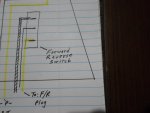
#4 Forward/Reverse Selector: I ran (3) extension wires (yellow, black & gray) up to the forward/reverse switch on the dash board.

#5 3-Speed Selector: for this function I just mounted the switch inside of the rear control box & ran the wires directly to it.
We don't really need it up front (I'm running @ high speed) but, available to be able to "turn it down" for the kids.

#6 Charge Port: I'm not using this one
I'm connecting the charge port (basically) directly to the battery pack.

#7 Brake : I ran (2) wires (1 white & 1 orange) up to the brake lever
These aren't really polarity sensitive (they just connect/complete a circuit) but, I still matched the wire colors.

#8 Brake Light: I ran (2) wires (1 white & 1 black) back to where the brake lights will be.
These are polarity sensitive so, we don't want to mix 'em up.
(matched the existing wire colors)

#9 Indicator : I'm not using this one either.
I'm connecting my Amp/Volt Meter directly to the battery pack.

#10 Hour Meter: Not sure about this one.
We don't need it to function so, we'll deal with it later.

Yup, ALL wires exit the rear control box thru a rubber grommet. :2guns:
 

Attachments

  • SAM_4475.JPG
    SAM_4475.JPG
    1.3 MB · Views: 5
  • SAM_4452.JPG
    SAM_4452.JPG
    1.3 MB · Views: 3
  • SAM_4453.JPG
    SAM_4453.JPG
    1.3 MB · Views: 3

Functional Artist

Well-known member
Messages
5,326
Reaction score
2,801
Location
Toledo, Ohio
Next, we'll need a dash board. :thumbsup:

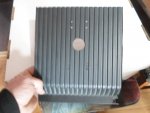
I still have a few good size pieces of the rippled plastic off of an old TV back cover that should work well.

This one is just gonna have:

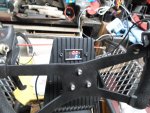
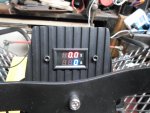
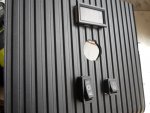
1. an Amp/Volt meter (the Amp meter will show how much amperage the motor is drawing from the battery pack & the Volt meter will show the Voltage level of the battery pack)

2. a dual purpose On/Off switch (one side of the switch, will switch the speed controller On/ Off & the second side, will switch the Amp/Volt meter On/Off)

3. a Forward/reverse switch.

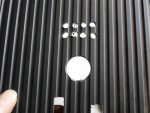
Gonna try something different on this one. I'm gonna put the meter above the steering support hoop (more in the "line of sight") & then put the (2) switches down below (handy but, "out of harms way") :2guns:

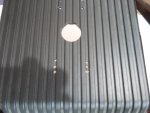
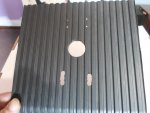
Drilled a hole in the middle (for the steering shaft), some holes for the switches & also some holes for the meter.

Then, did some whittlin' :cheers2:
 

Attachments

  • SAM_4428.JPG
    SAM_4428.JPG
    1.2 MB · Views: 1
  • SAM_4430.JPG
    SAM_4430.JPG
    1.3 MB · Views: 1
  • SAM_4432.JPG
    SAM_4432.JPG
    1.3 MB · Views: 1
  • SAM_4434.JPG
    SAM_4434.JPG
    1.3 MB · Views: 1
  • SAM_4435.JPG
    SAM_4435.JPG
    1.3 MB · Views: 1
  • SAM_4440.JPG
    SAM_4440.JPG
    1.3 MB · Views: 1
  • SAM_4439.JPG
    SAM_4439.JPG
    1.3 MB · Views: 1
  • SAM_4437.JPG
    SAM_4437.JPG
    1.3 MB · Views: 1
Functional Artist

Well-known member
Messages
5,326
Reaction score
2,801
Location
Toledo, Ohio
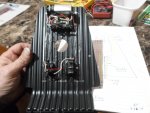
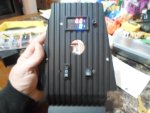
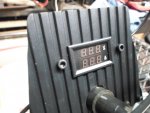
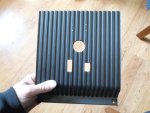
I added a back cover/box to enclose the back side of the Amp/Volt meter
…another cover/box to enclose the back side of the switches.
…& used a couple of 1/4" x 2 1/2" Allen Head bolts to securely mount 'em. :2guns:

* Yup, I made sure they cleared the steering hoop too :cheers2:
 

Attachments

  • SAM_4443.JPG
    SAM_4443.JPG
    1.3 MB · Views: 1
  • SAM_4445.JPG
    SAM_4445.JPG
    1.3 MB · Views: 1
  • SAM_4446.JPG
    SAM_4446.JPG
    1.3 MB · Views: 1
Functional Artist

Well-known member
Messages
5,326
Reaction score
2,801
Location
Toledo, Ohio
Excellent work FA! I don't have much to comment on besides that that the build is looking really clean :thumbsup:

Thank you, sir! :thumbsup:

It's startin' to warm up a bit around here (nice-n-sunny & ~50* today)
...so, I'm startin' to step 'er up a notch :cheers2:

Can't wait for the first test drive :2guns:

Not far now. :cool:
 

Functional Artist

Well-known member
Messages
5,326
Reaction score
2,801
Location
Toledo, Ohio
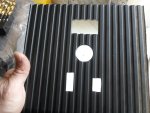
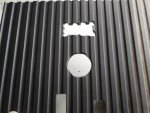
Now that we have everything on the dash board layed out & established, lets trim 'er down a bit. :thumbsup:

The piece of plastic that I used had a curve across the bottom & a lip that I kinda wanted to keep for additional strength.

So, first of all I did some markin' (on the back while being held in place)
...drilled a couple of cut/stop holes
…& started cutting
(I used the table saw but, because of the custom angles, it was mostly "free hand" cutting)

Then, I bolted it down with a couple of 1/4" Allen head bolts :cheers2:

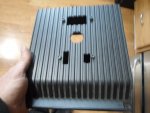
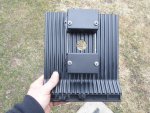
It came out pretty good
…& the steering bushing even fits in nicely :2guns:
 

Attachments

  • SAM_4463.JPG
    SAM_4463.JPG
    1.3 MB · Views: 1
  • SAM_4462.JPG
    SAM_4462.JPG
    1.3 MB · Views: 0
  • SAM_4461.JPG
    SAM_4461.JPG
    1.3 MB · Views: 0
  • SAM_4460.JPG
    SAM_4460.JPG
    1.3 MB · Views: 0
  • SAM_4459.JPG
    SAM_4459.JPG
    1.3 MB · Views: 0
  • SAM_4465.JPG
    SAM_4465.JPG
    1.3 MB · Views: 0
  • SAM_4466.JPG
    SAM_4466.JPG
    1.3 MB · Views: 1
  • SAM_4467.JPG
    SAM_4467.JPG
    1.3 MB · Views: 1
  • SAM_4468.JPG
    SAM_4468.JPG
    1.3 MB · Views: 1
  • SAM_4469.JPG
    SAM_4469.JPG
    1.3 MB · Views: 1

Functional Artist

Well-known member
Messages
5,326
Reaction score
2,801
Location
Toledo, Ohio
Bouncin' around a bit. (we'll get back to wiring the dash, momentarily)
...but, first

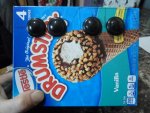
I found some 1" round, smoked lens LED lights that I thought would work great for brake lights. :thumbsup:

Since this is a 48V system (& the brake light circuit puts out 48V) we will need (4) of these 12V lights, wired in series.

I thought it would look kool to put (2) toward each side
…& then, I can also use a couple of the black wiring cover boxes on 'em too. :cheers2:

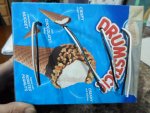
As a mounting, connection & cover fit test, I cut-out, mounted & wired the (4) LED lights into a cardboard box.
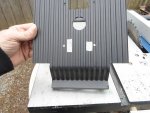
(a Rolo candy was a perfect template for markin' the holes)

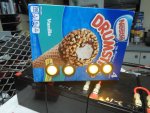
*Everything was goin so smooth then, I connected 'em to a 48V battery pack. :smiley_omg:
Yup they work ,as predicted
...but, they are frickin' yellow :ack2:

How did I order yellow lights?
...everyone knows, brake lights are supposed to be red. :censored:
 

Attachments

  • SAM_4482.JPG
    SAM_4482.JPG
    1.2 MB · Views: 0
  • SAM_4481.JPG
    SAM_4481.JPG
    1.3 MB · Views: 0
  • SAM_4480.JPG
    SAM_4480.JPG
    1.3 MB · Views: 1
  • SAM_4479.JPG
    SAM_4479.JPG
    1.3 MB · Views: 0
  • SAM_4478.JPG
    SAM_4478.JPG
    1.3 MB · Views: 1
  • SAM_4483.JPG
    SAM_4483.JPG
    1.3 MB · Views: 1
  • SAM_4484.JPG
    SAM_4484.JPG
    1.3 MB · Views: 0
  • SAM_4492.JPG
    SAM_4492.JPG
    1.3 MB · Views: 1
  • SAM_4491.JPG
    SAM_4491.JPG
    1.3 MB · Views: 1

Functional Artist

Well-known member
Messages
5,326
Reaction score
2,801
Location
Toledo, Ohio
I have proper "red" brake lights on the way :thumbsup:

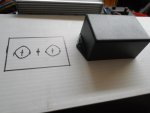
Next is, where to mount them?

I want them to be "incognito" or subtle & not to stand out too much
(kinda like the rear springs, their there but, they don't scream out "I'M HERE")

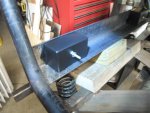
:idea2: The back side of the spring striker bar (2" x 2" angle steel) is right above & in front of the rear bumper.
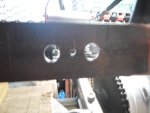
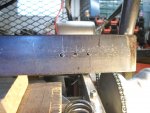
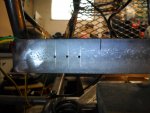
Hmmmmm, looks like it should work
...I'ma gonna give 'er a try :cheers2:

First, I drew out what I had in mind, to help establish the dimensions.

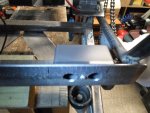
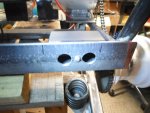
Next, measured, marked & drilled (3) holes (~3/16") toward each end of the spring striker plate.
…& then, drilled the outer holes, on each side, out to (~7/8") for the brake lights
(the center (3/16") holes are for securing the back covers on)

The back cover boxes were a little too big
...so, I cut 'em down a bit

Yup, that should work!

Once she's painted & the lights are installed, I'll add a couple of Allen head bolts with chrome Acorn nuts
...& BOOM! :2guns:
 

Attachments

  • SAM_4501.JPG
    SAM_4501.JPG
    1.3 MB · Views: 0
  • SAM_4500.JPG
    SAM_4500.JPG
    1.2 MB · Views: 0
  • SAM_4499.JPG
    SAM_4499.JPG
    1.3 MB · Views: 0
  • SAM_4498.JPG
    SAM_4498.JPG
    1.2 MB · Views: 0
  • SAM_4496.JPG
    SAM_4496.JPG
    1.3 MB · Views: 0
  • SAM_4513.JPG
    SAM_4513.JPG
    1.2 MB · Views: 0
  • SAM_4512.JPG
    SAM_4512.JPG
    1.3 MB · Views: 0
  • SAM_4511.JPG
    SAM_4511.JPG
    1.2 MB · Views: 0
  • SAM_4510.JPG
    SAM_4510.JPG
    1.3 MB · Views: 0

Functional Artist

Well-known member
Messages
5,326
Reaction score
2,801
Location
Toledo, Ohio
Now, let's get back to the dash board :thumbsup:

We'll start at the top & get the Amp/Volt meter wired up.

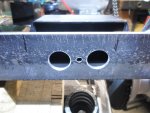
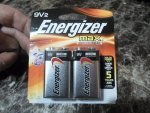
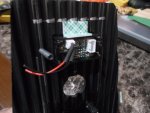
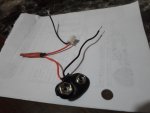
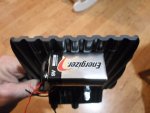
I am going to power the meter with a simple 9V battery
...like I did with the "mobile" Amp/Volt meter :cheers2:
http://www.diygokarts.com/vb/showthread.php?t=38583

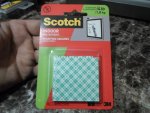
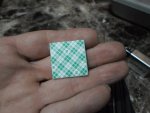
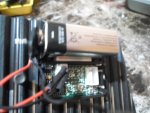
We can't have it rattlin' around in there.

So, I used some (2) sided tape to "glue 'er down"
...right above the meter, safely inside of the box.

Yup, that's "good-n-solid" :2guns:

Then, I wired the red positive (+) wire from the battery connector directly to the red positive (+) wire of the AMP/Volt meter

The black negative (-) wire will need to be run to the On/Off switch, down below.
 

Attachments

  • SAM_4518.JPG
    SAM_4518.JPG
    1.3 MB · Views: 1
  • SAM_4519.JPG
    SAM_4519.JPG
    1.3 MB · Views: 1
  • SAM_4521.JPG
    SAM_4521.JPG
    1.3 MB · Views: 1
  • SAM_4522.JPG
    SAM_4522.JPG
    1.3 MB · Views: 1
  • SAM_4523.JPG
    SAM_4523.JPG
    1.2 MB · Views: 1
  • SAM_4527.JPG
    SAM_4527.JPG
    1.3 MB · Views: 2
  • SAM_4526.JPG
    SAM_4526.JPG
    1.2 MB · Views: 1
  • SAM_4525.JPG
    SAM_4525.JPG
    1.3 MB · Views: 1
  • SAM_4524.JPG
    SAM_4524.JPG
    1.2 MB · Views: 1

Functional Artist

Well-known member
Messages
5,326
Reaction score
2,801
Location
Toledo, Ohio
Now, for the negative (-) side of the Amp/Volt meter "power circuit"

I soldered a female spade terminal onto a piece of white ~20g wire (to connect to the switch)
…& soldered the other end onto the black negative (-) wire going to the meter (input) plug.

& then, soldered a female spade terminal onto a piece of black ~20g wire (to connect to the switch)

…& soldered the other end onto the black wire coming from the battery connector plug

Yup, that should work! :thumbsup:

Flip the switch & BOOM! we have power :2guns:
(the meter doesn't show any readings because the sensor wires are not connected yet)

Then, used some Liquid electrical tape to "glue" the wires down to the dash
...did the same with the sensor wires too. :cheers2:
 

Attachments

  • SAM_4530.JPG
    SAM_4530.JPG
    1.3 MB · Views: 1
  • SAM_4536.JPG
    SAM_4536.JPG
    1.2 MB · Views: 0
  • SAM_4538.JPG
    SAM_4538.JPG
    1.2 MB · Views: 0
  • SAM_4537.JPG
    SAM_4537.JPG
    1.3 MB · Views: 0
  • SAM_4534.JPG
    SAM_4534.JPG
    1.2 MB · Views: 0
  • SAM_4533.JPG
    SAM_4533.JPG
    1.3 MB · Views: 0

Functional Artist

Well-known member
Messages
5,326
Reaction score
2,801
Location
Toledo, Ohio
After letting the Liquid tape dry overnight, I mounted the rear cover. :thumbsup:
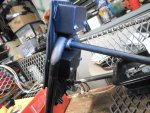
...the wires are "glued" down in the groves so, the cover sits nice-n-flush

To accommodate the 9V battery, I had to drill the mounting bolt holes off set.
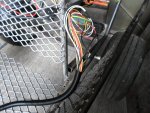
Then, I used a couple of black Allen head bolts & a couple of Chrome Acorn nuts to clamp it on.

The meter is right there "in the line of sight" & easy to see
...but, in a kinda safe & protected spot too :2guns:
 

Attachments

  • SAM_0326.jpg
    SAM_0326.jpg
    276.5 KB · Views: 0
  • SAM_0325.jpg
    SAM_0325.jpg
    275.9 KB · Views: 0
  • SAM_0322.jpg
    SAM_0322.jpg
    306.3 KB · Views: 0
  • SAM_0321.jpg
    SAM_0321.jpg
    279.4 KB · Views: 0

Functional Artist

Well-known member
Messages
5,326
Reaction score
2,801
Location
Toledo, Ohio
Now that the top half of the dash board is "buttoned up" we can finish the bottom :thumbsup:

I soldered spade terminals onto the On/Off switch & the Forward/Reverse switch wires
...& then connected them to their switches.

I also soldered the wires for the Amp/Volt meter to their (3) matching wires in the harness.

Next, I gathered the wires together & ran them thru a hole, I cut out of the protective cover
…then, set it in place & bolted it down with a couple of Allen head bolts with Acorn nuts. (not shown in the pics)

Then, I added a metal bracket/strap to secure the harness to the bottom of the dash board :2guns:
 

Attachments

  • SAM_4544.JPG
    SAM_4544.JPG
    1.2 MB · Views: 3
  • SAM_4542.JPG
    SAM_4542.JPG
    1.3 MB · Views: 3
  • SAM_4539.JPG
    SAM_4539.JPG
    1.2 MB · Views: 3
  • SAM_0318.jpg
    SAM_0318.jpg
    296.8 KB · Views: 3
  • SAM_4543.JPG
    SAM_4543.JPG
    1.2 MB · Views: 3
  • SAM_4546.JPG
    SAM_4546.JPG
    1.2 MB · Views: 2
  • SAM_4551.JPG
    SAM_4551.JPG
    1.2 MB · Views: 3
  • SAM_4553.JPG
    SAM_4553.JPG
    1.2 MB · Views: 2
  • SAM_4554.JPG
    SAM_4554.JPG
    1.3 MB · Views: 3
  • SAM_4557.JPG
    SAM_4557.JPG
    1.3 MB · Views: 2

Functional Artist

Well-known member
Messages
5,326
Reaction score
2,801
Location
Toledo, Ohio
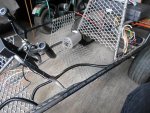
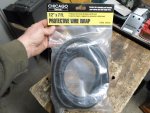
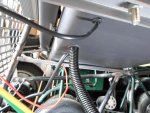
I added some wire covering from the dash board to the rear control box.

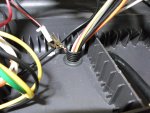
After working the covering over ALL of the wires, I worked the covering into the rubber grommet (in the rear)

Yup, fits nice-n-snug. :thumbsup:

Then, worked the covering thru the metal strap in the front (had to get a bigger strap)

Yup, that's also good-n-secure :cheers2:

I also wanted to make sure the electrical system was "modular"
...to ease removal & reinstallation, for the painting process

So, the dash board, wiring harness & control box can ALL be removed & reinstalled as "1 unit" :2guns:

I even ran the wires for the thumb throttle & the brake lever thru the cover
...so, they are "modular" & an integrated part of the electrical system too. :cool:
 

Attachments

  • SAM_0353.jpg
    SAM_0353.jpg
    370.3 KB · Views: 0
  • SAM_0350.jpg
    SAM_0350.jpg
    371.1 KB · Views: 0
  • SAM_0351.jpg
    SAM_0351.jpg
    334.9 KB · Views: 0
  • SAM_0349.jpg
    SAM_0349.jpg
    464.2 KB · Views: 1
  • SAM_0348.jpg
    SAM_0348.jpg
    311.3 KB · Views: 2
  • SAM_0354.jpg
    SAM_0354.jpg
    304.1 KB · Views: 1
  • SAM_0356.jpg
    SAM_0356.jpg
    292.5 KB · Views: 0
  • SAM_0376.jpg
    SAM_0376.jpg
    299.8 KB · Views: 0
  • SAM_0378.jpg
    SAM_0378.jpg
    474 KB · Views: 0
Status
Not open for further replies.
Top