• OFF TOPIC fun forum - NO politics - NO religion - NO jerks. It's not complicated. Thanks!

google sketchup

Status
Not open for further replies.

fowler

New member
Messages
5,463
Reaction score
18
Location
Bullsbrook West Aus
iv finally got sketchup and done all the basic tutoirals

but what i want to know is how do i rotat somthing about its axis

for example to make a sphere u would make a semi circle and rotate it around the centre axis

i may have the totally wrong idea im not sure

i use to use prodesktop but it ran out and it is hugely expensive
 

Bluethunder3320

New member
Messages
5,677
Reaction score
38
autodesk here is like $6000 for the starter.

to rotate it, im not sure, but i think you need a center point that is the axis you rotate on, then use the rotate tool.
 

KieranM

Doin It!!
Messages
1,409
Reaction score
3
Location
Kilkenny, Ireland
I got a student version of solid works, I prefer it over Sketchup, got it for free, there is an addition costs 300euro and runs out in 150 days, but there are ways around everything ;)...not to say that I broke the law or anything...
 

devino246

Official DIYGK Chem Nerd
Messages
3,856
Reaction score
16
Location
Lynchburg, VA
+1 Kieran, I get free student versions of autodesk because I took a class that used it. I love inventor
 

CriticalMass

New member
Messages
239
Reaction score
1
Location
East Bay CA
I never got as far as rounding the edges for tires. I got my size the way I wanted. But couldn't get all 4 tires on the same plane and lined up so I said f it.

I am bad at drawing period. Computer or not
 

Bluethunder3320

New member
Messages
5,677
Reaction score
38
i was going to get autocad free for 4 years from school but it turns out its only windows compatible.
 

r97

Measure twice cut once
Messages
3,793
Reaction score
8
Location
Massachusetts, USA
devino :roflol:

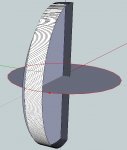
i use the extrude tool a ton, once you learn how to make it you can make all kinds of stuff, made a tc driver in a few minutes, i also use it to make mini bike frames, good for headers too. it basically allows you to pull any 2d figure along any guide line.


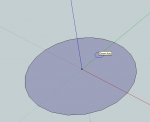
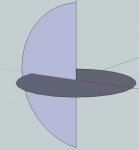
1. draw guide circle.
2. draw semi circle to be made into sphere.
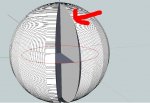
3. click extrude tool onto one face of the semicircle, and begin to drag cursor around edge of guide circle.
4. continue to drag all the way around circle, then put the cursor on the edge indicated by the big red arrow.
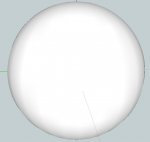
5. ta-da!

EDIT: wait, you learned how to do that!!!!!! :mad2:, to remove edges, go to view, click edge style, click edges.
i bet there is a yt vid for this........
 

Attachments

  • step 1.jpg
    step 1.jpg
    32.8 KB · Views: 1
  • step 2.jpg
    step 2.jpg
    28.2 KB · Views: 1
  • step 3.jpg
    step 3.jpg
    66.9 KB · Views: 1
  • step 4.jpg
    step 4.jpg
    207.5 KB · Views: 1
  • step 5.jpg
    step 5.jpg
    25.8 KB · Views: 1
Status
Not open for further replies.
Top